Lite and Pro
Embeds in a note
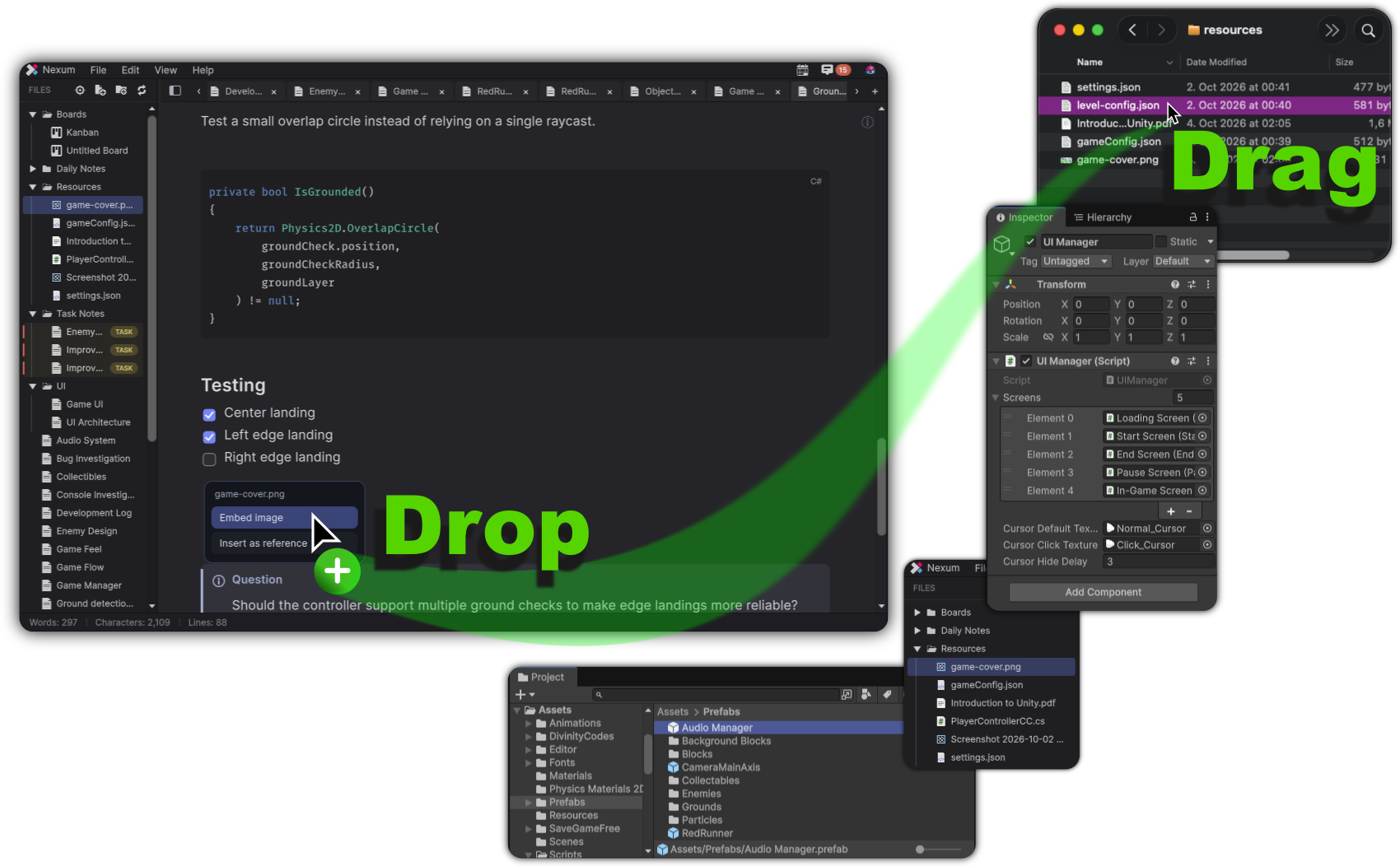
An embed is written as ![[target]]. It can be an image, a screenshot, a document, audio, video, a board, a task, or a Unity object. A working embed draws the real preview.
A normal Markdown image written as  is left out of this count.
Nexum Lite
3 embeds
The first three embeds display. Later ones stay in the note as locked cards and are not loaded.
Nexum Pro
Every embed
Every embed in the note loads and displays. There is no count.
How Lite counts
- Lite shows the first 3 embeds in a note, in document order. Code blocks are skipped.
- You can keep embedding, including by pasting several
![[unity:...]]lines. The text stays. - Embeds past the first 3 are not loaded: no image, document, audio, video, or Unity object is created for them. They draw as a generic locked card, with a lock, the kind of file, and the title.
- That card is distinct from a locked reference chip, so a locked embed does not look like a locked
[[link]]. - Clicking a locked embed shows the edition window.
- Removing an earlier embed frees a slot, and the next embed in the text becomes live.
- Repeating the same target counts once per occurrence.
- A line that starts with
![[is only an embed. It is not also counted as a reference.
What stays the same
Screenshots, images, documents, and Unity objects all use this same rule. The first three of any mix display normally. The rest stay in the note as locked cards until a slot opens.
How to drop an embed: References & Embeds.
Related
-
Wiki links, counted separately from embeds.
-
A console block inside a note uses one of these embed slots.
-
Embeds display on a note that is already unlocked.