What is Nexum?
Nexum is a connected Unity development workspace that lives inside the Unity Editor.
It is not only a Markdown editor, and not only a Kanban board. It is the place where writing, project context, and work stay linked - so the next time you return to a problem, the context is still there.
Write. Plan. Connect.
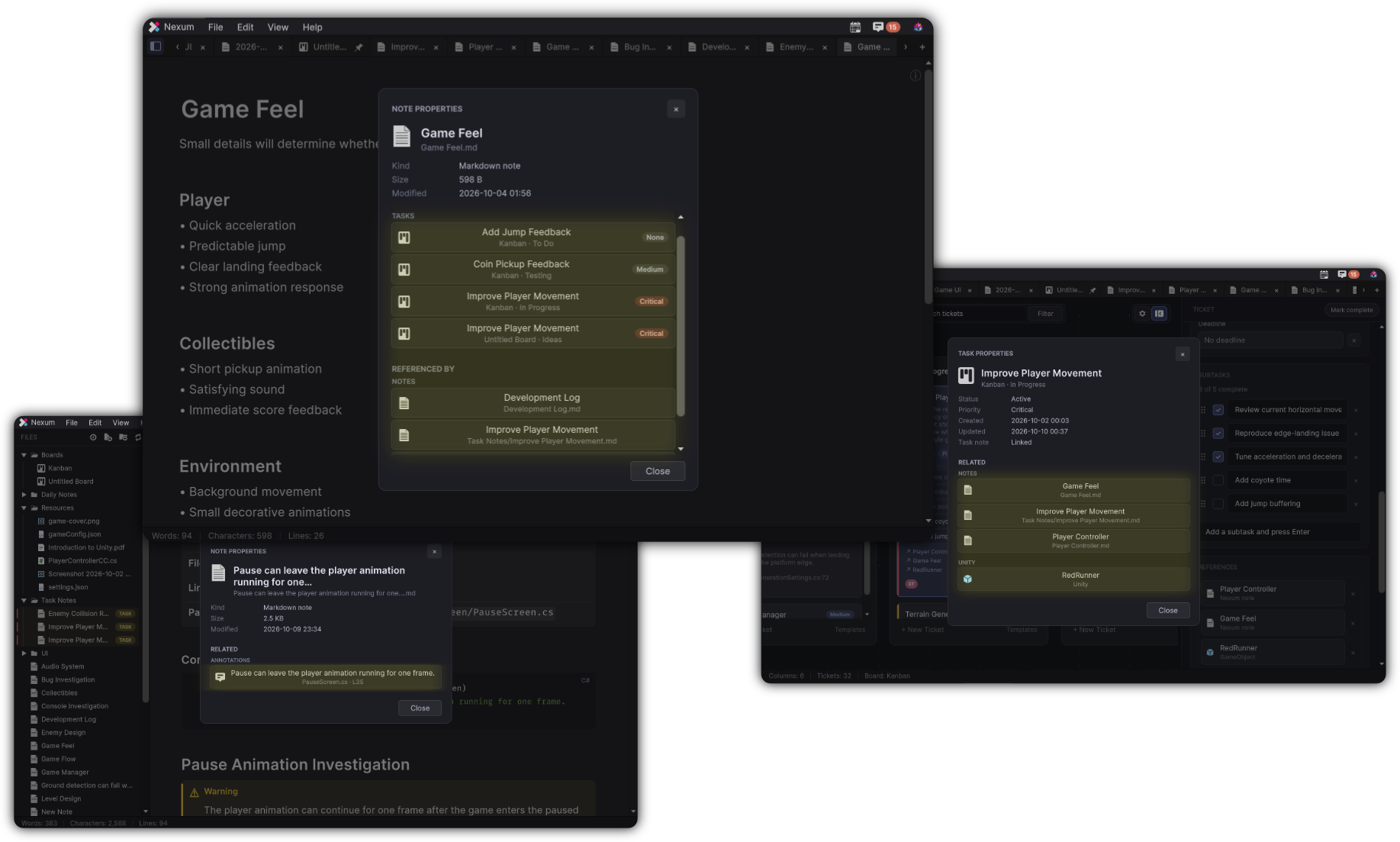
The idea
Unity development produces more than code:
- Decisions and investigations
- Prefabs, components, and assets you keep revisiting
- Console errors you swear you already fixed
- TODOs buried in scripts
- Tasks that start as a sentence and grow into a project
Those pieces usually scatter across sticky notes, chats, tickets, and half-remembered console logs. Nexum keeps them in one workspace and lets them reference each other.
How the pieces connect
flowchart TD
  A[Idea / discovery] --> B[Note]
  B --> C[Unity objects]
  B --> D[Resources]
  B --> E[Annotations]
  B --> F[Console captures]
  B --> G[Kanban ticket]
G --> H[Task Note]| Piece | Role |
|---|---|
| Notes | Markdown writing surface for ideas, docs, and investigations |
| Unity references | Prefabs, GameObjects, components, and assets attached to the writing |
| Resources | Images, audio, video, PDFs, and text/code files stored with your notes |
| Kanban | Columns, tickets, priorities, and deadlines |
| Task Notes | Dedicated notes owned by a ticket when a card needs a full write-up |
| Annotations | Discover TODO, FIXME, and related markers in project scripts |
| Console | Capture selected Unity Console rows into a note or ticket |
| Daily Notes | Dated notes for what you worked on and decided today |
| Properties / Related | See and navigate what a note or ticket is linked to |
A note can mention a Prefab. That Prefab can sit on a ticket. That ticket can own a Task Note. Annotations can jump you to source. Console captures keep the stack trace next to the investigation. That chain is the product.
Who it is for
Nexum fits solo developers and small teams who:
- Work mostly inside Unity
- Want lightweight writing without leaving the Editor
- Need tasks that can carry real project context
- Care about finding yesterday’s reasoning next month
It does not replace your entire project-management stack. It gives you a fast, local, Unity-native place for development memory.
Start in five minutes
Open Tools → DivinityCodes → Nexum, write on Welcome, and drag one Prefab onto the page. That is enough to feel the product.
What you will learn next
- Getting Started - open Nexum and take the first steps
- The Workspace - Files, tabs, menus, and how the window is laid out
- Workflows - how the pieces work together on real problems