Annotations
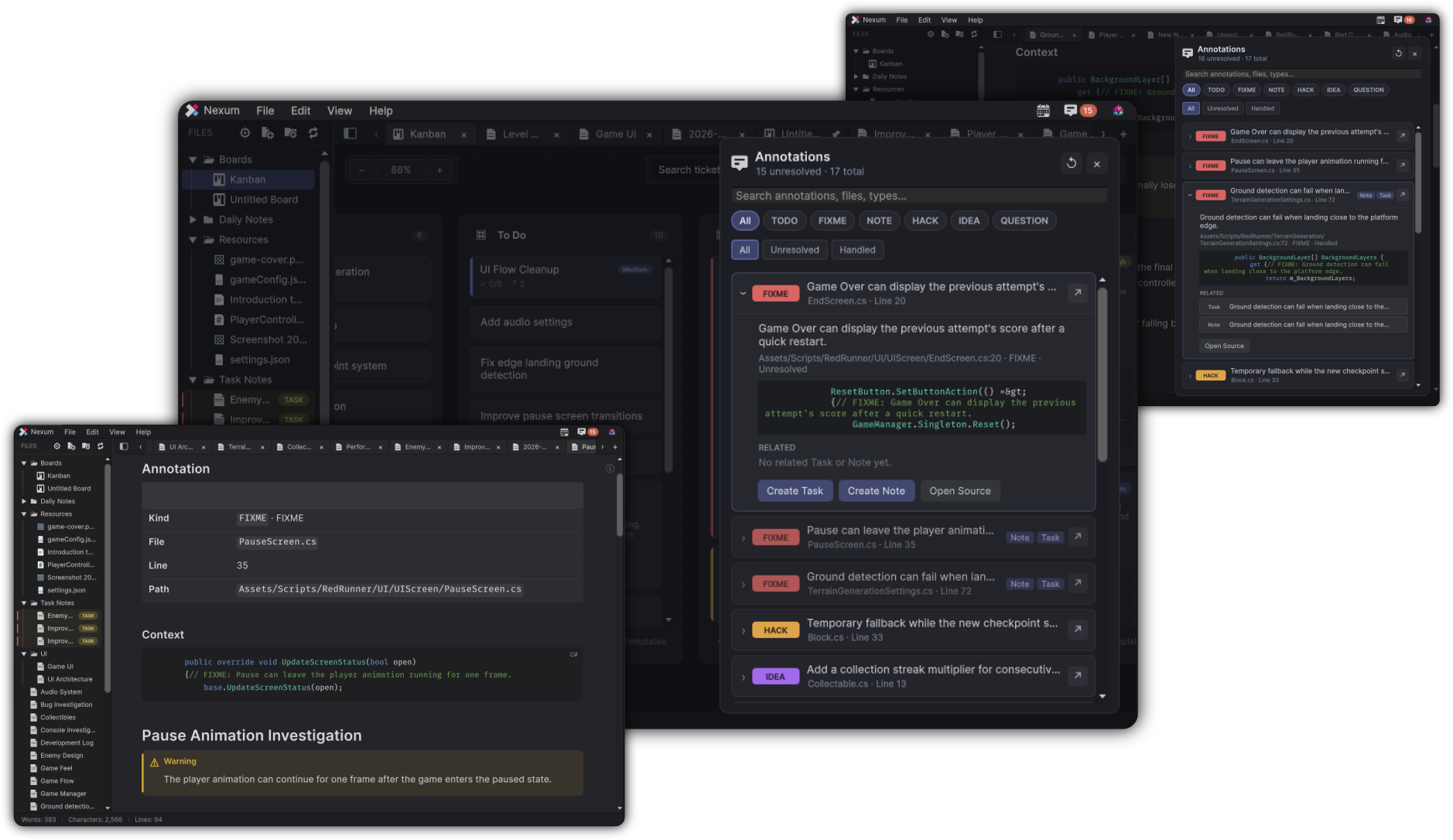
Annotations finds markers in your Unity project scripts and turns them into a browsable inbox - jump to source, create a note, or create a task. Code comments stop being a graveyard.
Open from the menu bar Annotations button.
What Nexum looks for
Primary kinds (UI chips):
| Kind | Typical markers |
|---|---|
| TODO | TODO |
| FIXME | FIXME, FIX, BUG |
| NOTE | NOTE, REVIEW |
| HACK | HACK, OPTIMIZE |
| IDEA | IDEA |
| QUESTION | QUESTION, ASK, XXX, INVESTIGATE |
Nexum maps several aliases into those kinds so noisy comment styles still land in a useful bucket.
Annotation Center
- Search placeholder: Search annotations, files, types…
- Kind chips: All plus each kind
- State filter: All / Unresolved / Handled
- Refresh
- Hint copy about TODO / FIXME / HACK / NOTE / BUG style comments
Per item
- Jump ↗ to the source location
- Create Task
- Create Note
- Open Source
Context actions include Copy Annotation, Copy Source Location, and Open Related Task/Note when linked.
Create Task opens a small Create Task popup (Create / Cancel).
Typical use
You leave // TODO: pool inventory slots while shipping a feature. Weeks later, Annotations surfaces it. From there you:
- Jump to the line
- Create a Task on your current board
- Optionally create a Note for design notes and link the ticket
Milestone cleanup
Filter TODO / FIXME with state Unresolved before a milestone. Treat the list as triage, not archaeology.