Write. Plan. Connect.
Nexum for the Unity Editor
Nexum is a connected development workspace that lives where your game already is. Notes, Unity objects, boards, console captures, and daily memory stay linked, so the next time you return to a problem, the context is still there.
The loop in one pass: open Nexum from Tools → DivinityCodes → Nexum, write a note, create a [[wiki link]], drop a Prefab and choose Embed, put that work on a Kanban ticket, then open Properties and see the note, the Prefab, and the ticket linked.
In the Editor
The same window holds the writing, the board, and the Unity objects you were actually touching.
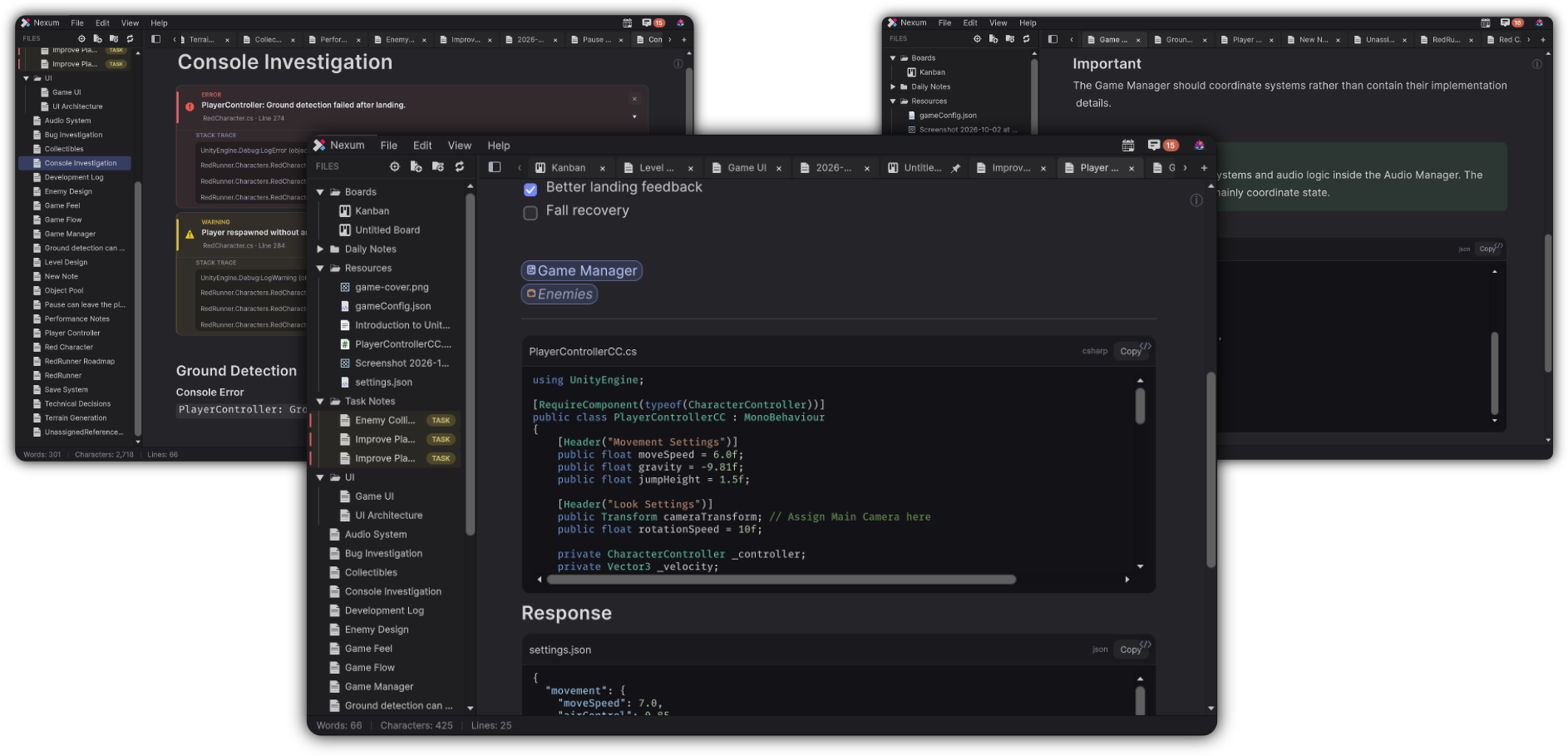 Notes
Live Markdown, syntax-highlighted code, and callouts, without leaving Unity.
Notes
Live Markdown, syntax-highlighted code, and callouts, without leaving Unity.
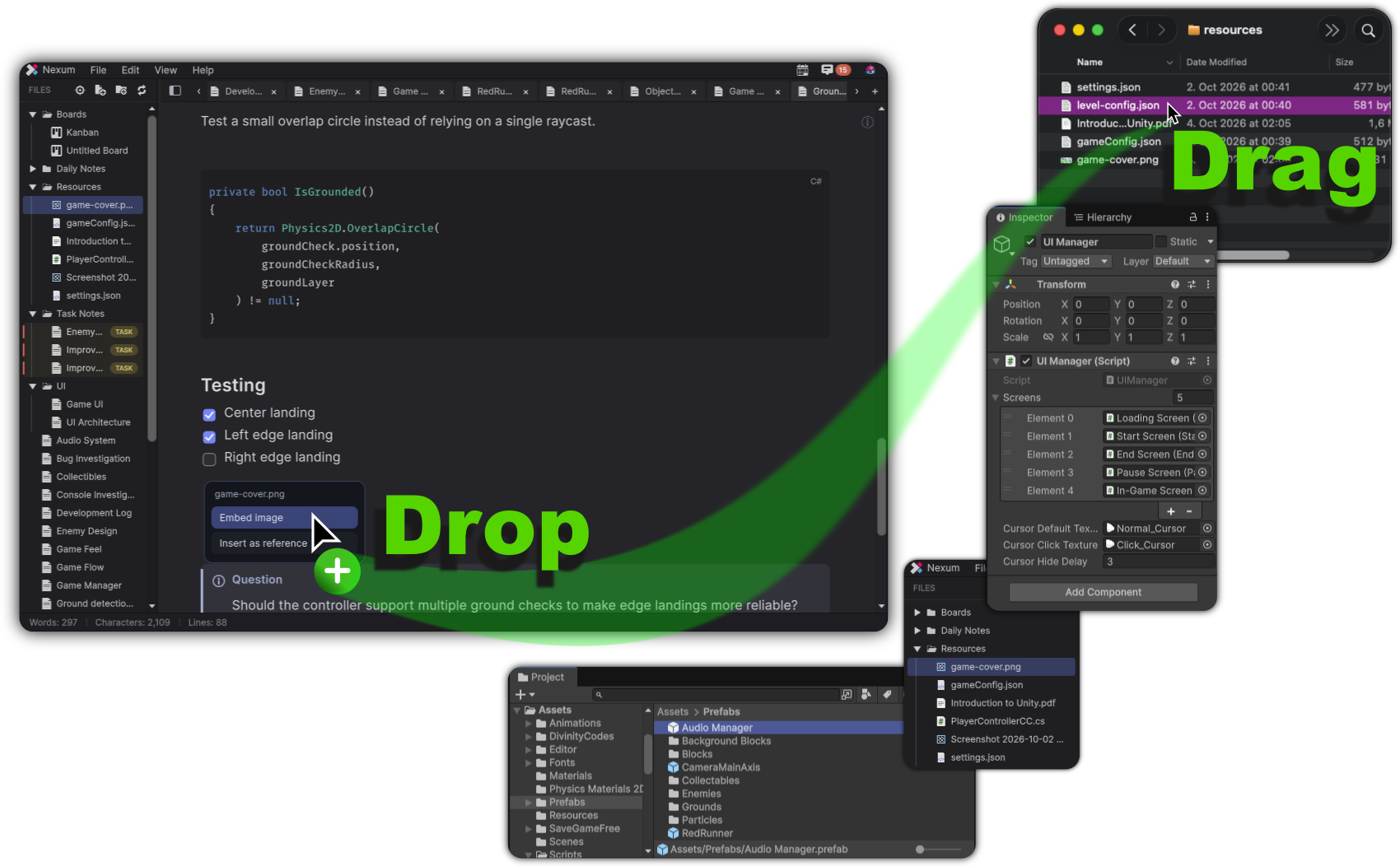 Unity references
Drag a Prefab, a script, or a file onto the note. Embed it, or keep a reference.
Unity references
Drag a Prefab, a script, or a file onto the note. Embed it, or keep a reference.
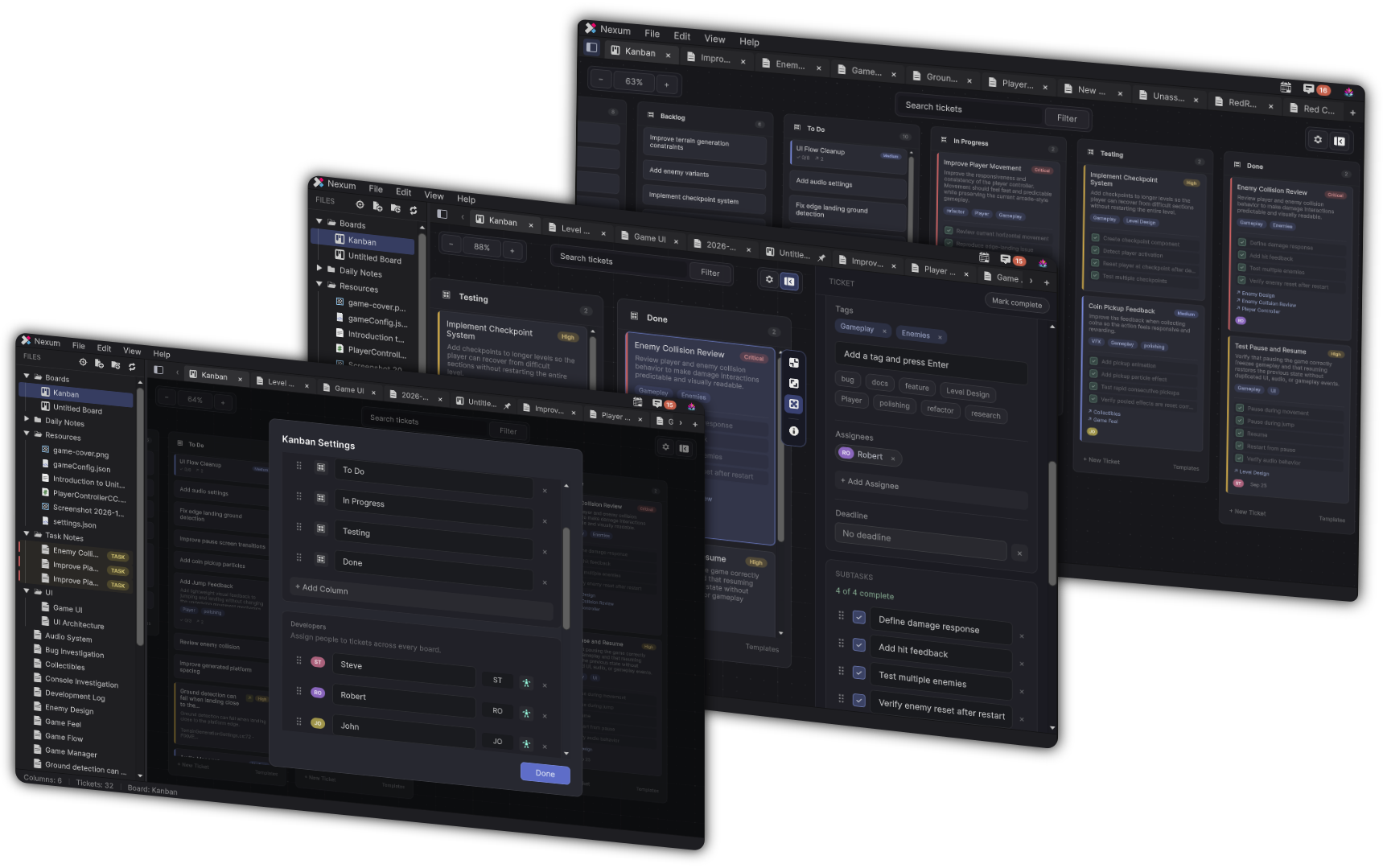 Kanban
Columns, priorities, assignees, and filters, on a board that can hold real project context.
Kanban
Columns, priorities, assignees, and filters, on a board that can hold real project context.
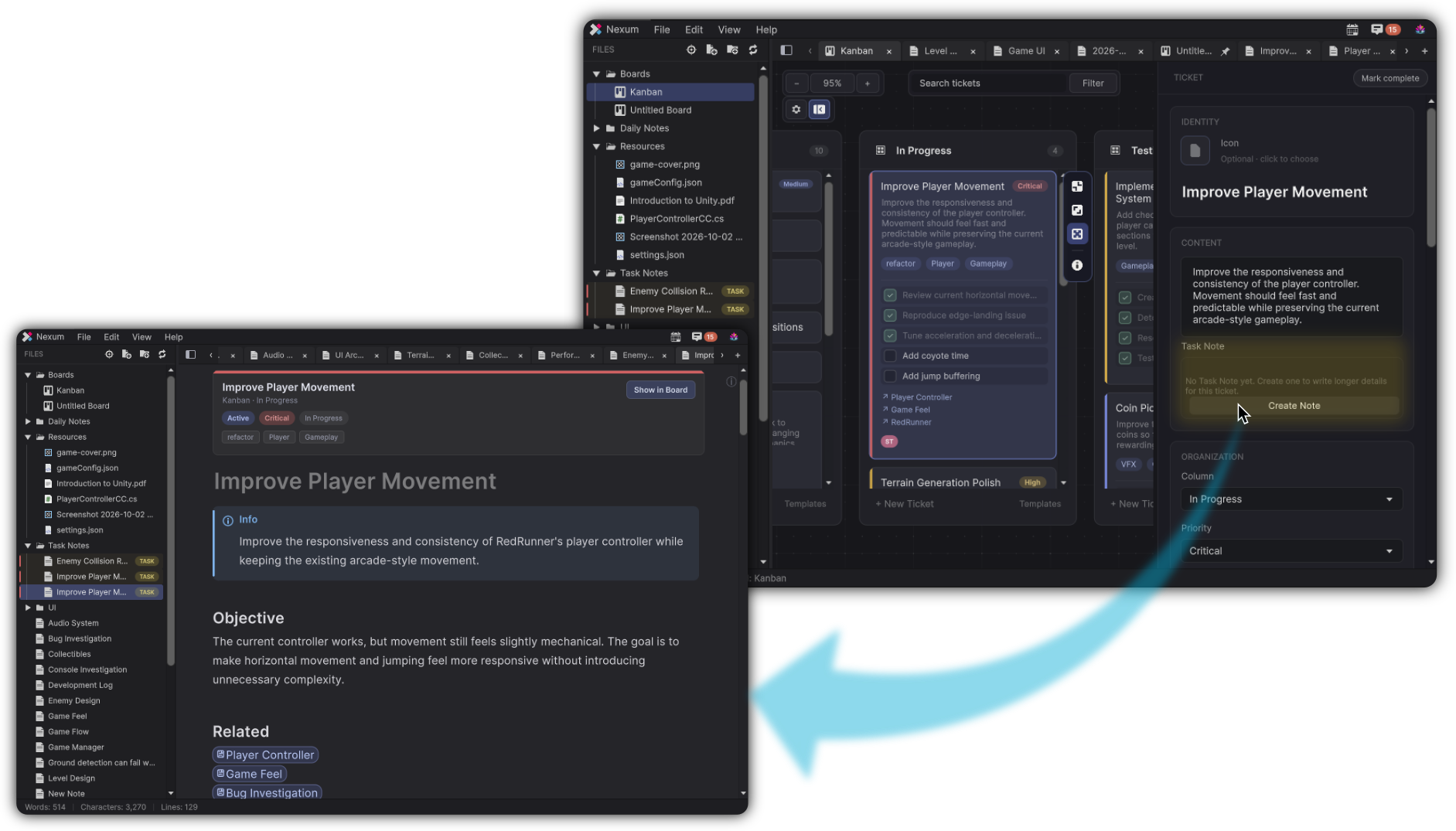 Task Notes
When a card needs more than a description, it owns a Markdown note.
Task Notes
When a card needs more than a description, it owns a Markdown note.
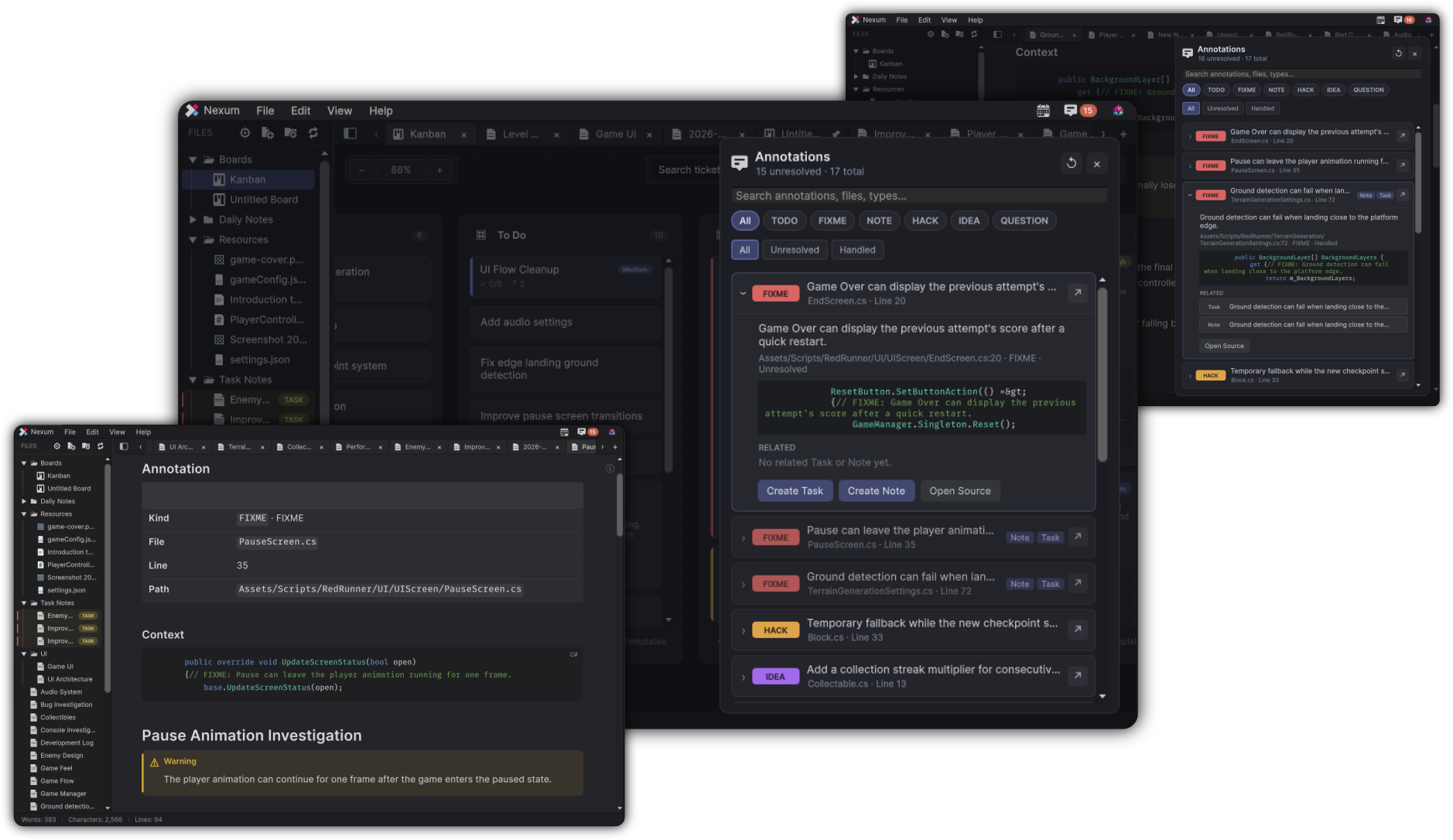 Annotations
TODO and FIXME become an inbox. Jump to source, create a task, or create a note.
Annotations
TODO and FIXME become an inbox. Jump to source, create a task, or create a note.
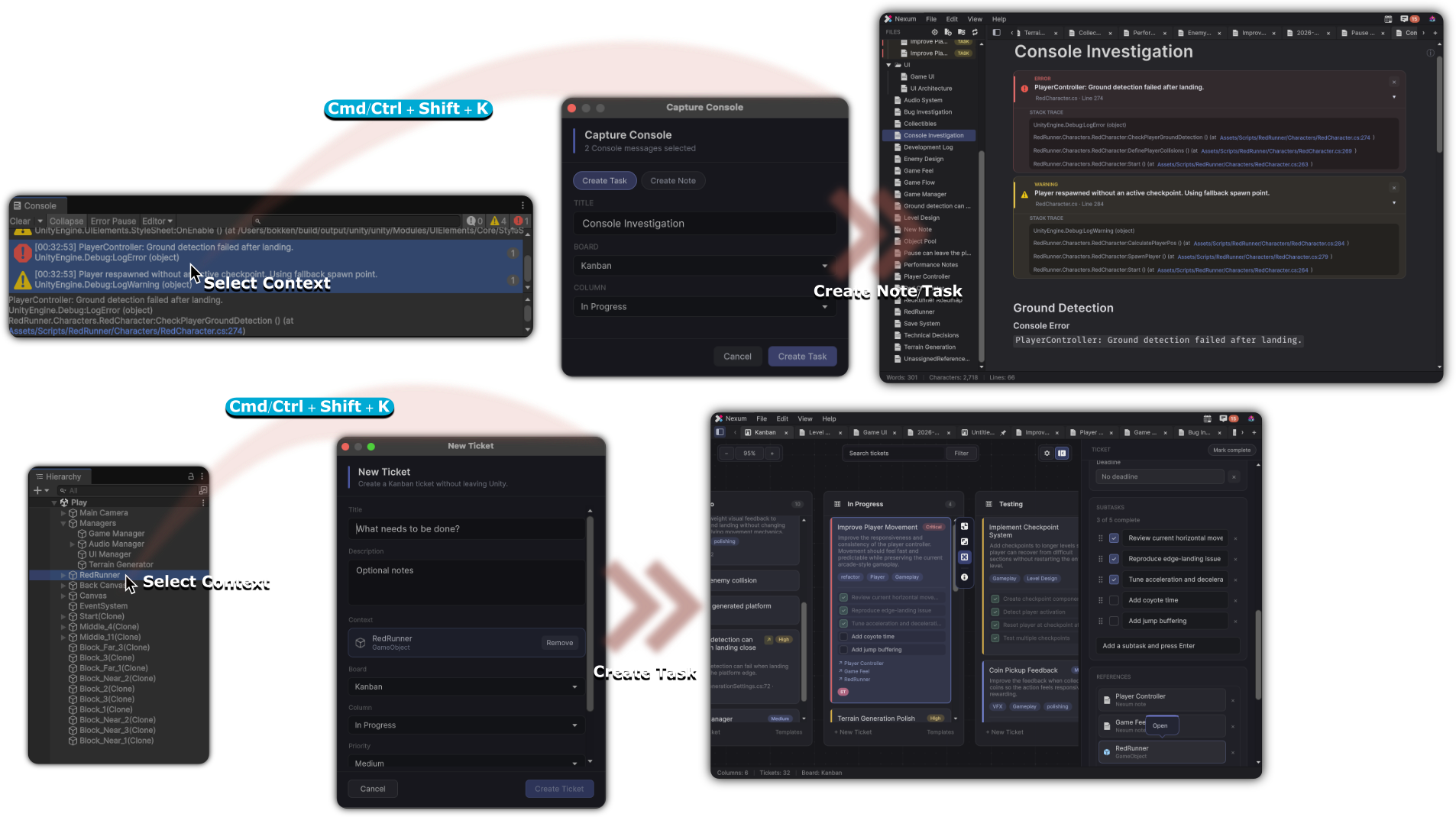 Capture context
Select a Console row or a Hierarchy object, then press Cmd/Ctrl+Shift+K.
Capture context
Select a Console row or a Hierarchy object, then press Cmd/Ctrl+Shift+K.
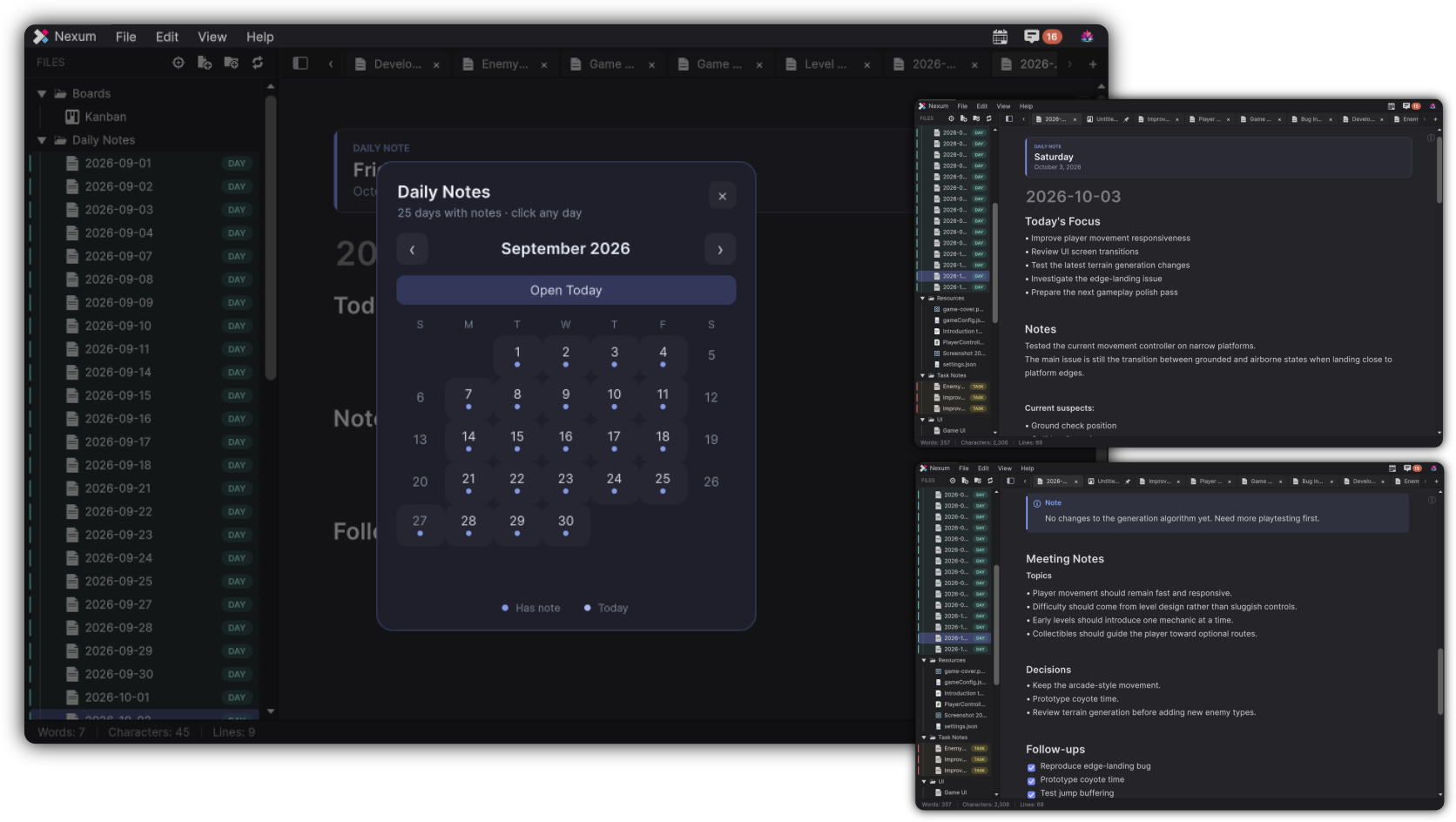 Daily Notes
A dated note for today’s focus, decisions, and follow-ups.
Daily Notes
A dated note for today’s focus, decisions, and follow-ups.
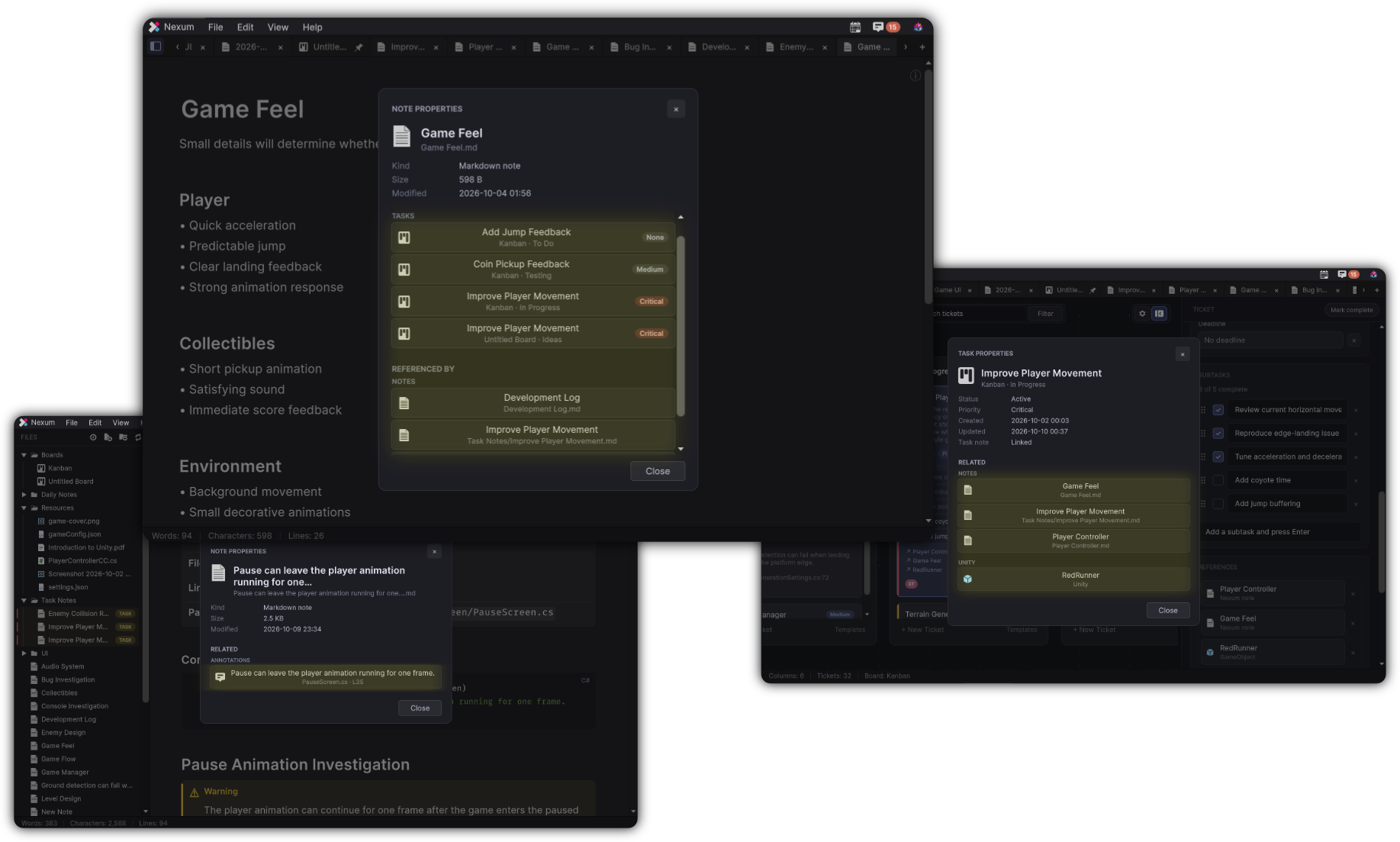 Everything stays connected
Properties shows the notes, tickets, and Unity objects linked to what you are looking at.
Everything stays connected
Properties shows the notes, tickets, and Unity objects linked to what you are looking at.
Development memory, kept in one place
Unity work produces more than code. Decisions, Prefabs you keep revisiting, TODOs buried in scripts, console errors you already swore you fixed. Those pieces usually scatter. Nexum keeps them together.
Write
A live Markdown surface with wiki links, callouts, highlights, and syntax-aware code, without leaving the Editor.
Plan
Kanban boards, task notes, annotations, and daily journals turn ideas into work you can actually return to.
Connect
Prefabs, resources, tickets, and notes reference each other. Properties shows the graph. Context survives the weekend.
How the pieces fit
A note can mention a Prefab. That Prefab can sit on a ticket. That ticket can own a Task Note. Annotations jump you to source. Console captures keep the stack trace next to the investigation.
That chain is the product, not a pile of isolated documents.
Built for people who ship in Unity
-
Stay in the Editor
Open from Tools → DivinityCodes → Nexum. Writing, planning, and project context never require a browser tab.
-
Drag the real thing
Drop Prefabs, GameObjects, materials, and files onto a note or a board. Click later and you are back on the asset.
-
Files on disk
Notes and boards live in a workspace folder. You keep the memory; Nexum keeps the connections.
-
Fast local memory
Nexum does not replace your entire project-management stack. It gives you a Unity-native place for the work around the work.
Start where the question is
-
The idea, the pieces, and who it is for.
-
Get it from the Asset Store, open the window, write a note, drop a Prefab.
-
Markdown, wiki links, callouts, and live editing.
-
Tickets that can carry notes, Unity context, and a Task Note.
-
Turn
TODOandFIXMEinto an inbox you can act on. -
Investigation, console capture, daily rhythm, asset docs.
The next time you return, the context is still there
Add Nexum to your Unity project, write the first note, and attach the Prefab you are actually looking at.