Unity & Resource References
Nexum can keep Unity project objects and imported files next to your writing - as compact references or rich embeds. Writing “the Player prefab’s Health looks wrong” is fragile. Keeping the Prefab on the note is not.
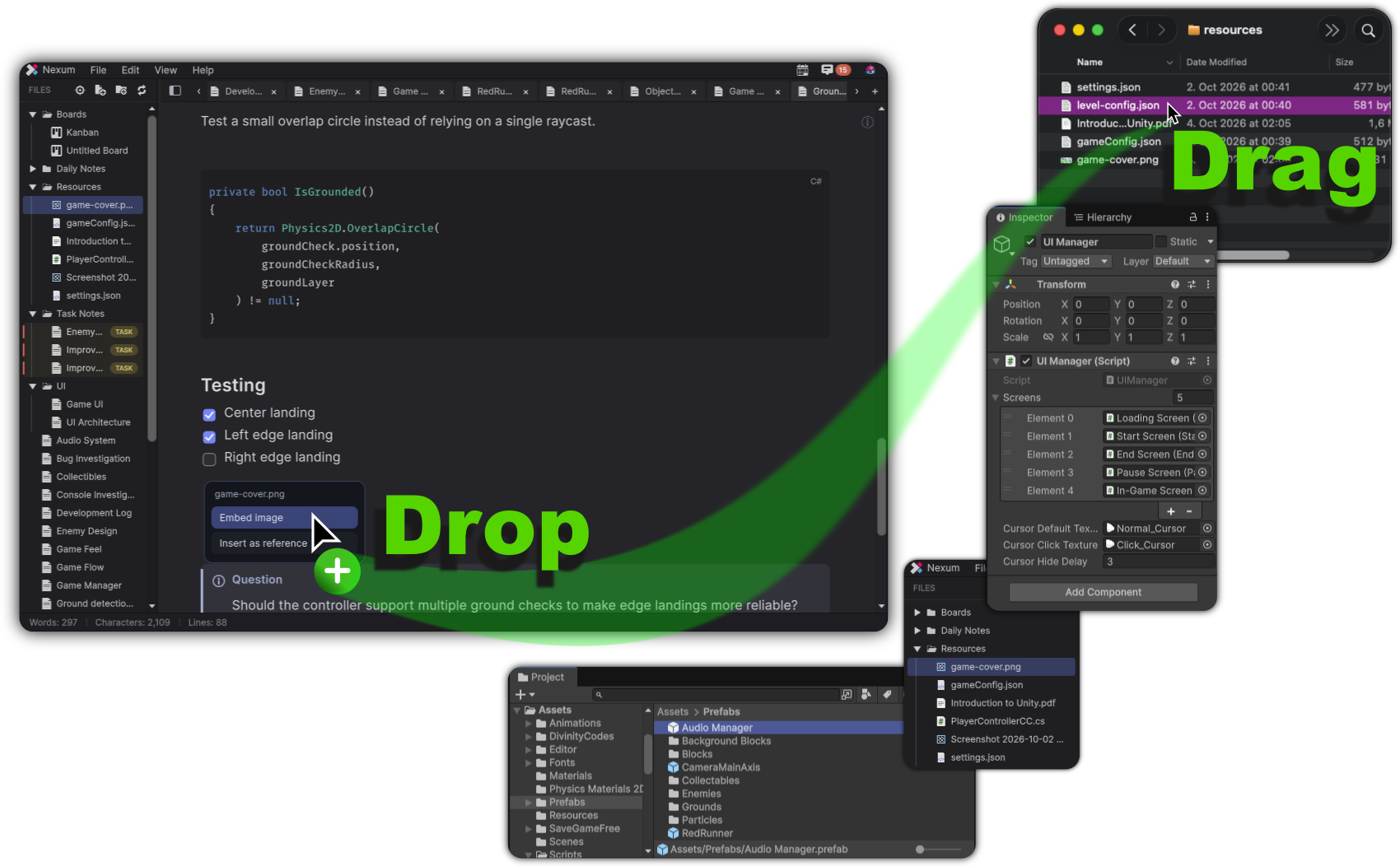
Drag and drop onto a note
Drop targets on the writing surface show guidance such as Drop to choose embed or reference or Drop to insert a reference.
Unity objects
Drag from the Project window or Hierarchy onto a note. Nexum offers an insert choice:
- Reference - wiki-style link you can click to select / ping the object
- Embed - inline preview widget (label depends on type: image-like preview, audio, material, mesh, prefab, GameObject, scene, component, or generic Unity object)
Multi-object drops insert as references.
Supported embed and render paths include textures, sprites, materials, audio clips, meshes, ScriptableObjects, prefabs, GameObjects, and components (including mesh viewing where applicable).
Play Mode can use runtime session tokens for live objects.
Files from disk
Drop files onto a note to import them into the notes workspace (typically under Resources) and choose embed vs reference when the type supports it.
Paste
- Paste an image from the clipboard → import into Resources and offer embed
- Paste file paths into a note when that flow is available
Not on the explorer
Unity drops onto the Files explorer are rejected. Use the note surface or Kanban for Unity context.
Resource types
| Class | Typical extensions |
|---|---|
| Image | png, jpg, jpeg, gif, webp, tga, psd |
| Audio | mp3, wav, ogg, aiff |
| Video | mp4, mov, webm |
| Code / text preview | cs, js, ts, lua, py, html, xml, css, json, txt, csv, yaml, toml, ini, cfg, log, shader, hlsl, compute, uss, uxml, asmdef |
Insert choice labels include Embed image / audio / video / PDF / code preview / Unity object / board preview / task preview as appropriate.
Wiki forms (advanced)
Most users never type these by hand. For completeness:
#adv / #advanced opts into the expanded embed UI (compact vs expand controls on the widget).
Missing Unity targets show a clear missing state in the embed chrome.
Boards and tasks as embeds
Kanban boards and tickets can appear as embeds/previews from wiki/task syntax and pickers (Reference a Task…, board open actions). Clicking through navigates to the board or ticket context.
Why this matters
Keeping the Prefab on the note means:
- You reopen the investigation and select the asset in one click
- Tickets can carry the same context
- Handoffs lose less tribal knowledge