Properties & Relationships
Properties shows what a note or ticket is, and what it is connected to. Relationships are how Nexum turns separate documents into a navigable graph - the Connect half of Write. Plan. Connect.
Open Properties from:
- Note Properties button / note context menu Properties
- Tab / workspace actions that open note properties
- Kanban side rail Ticket properties
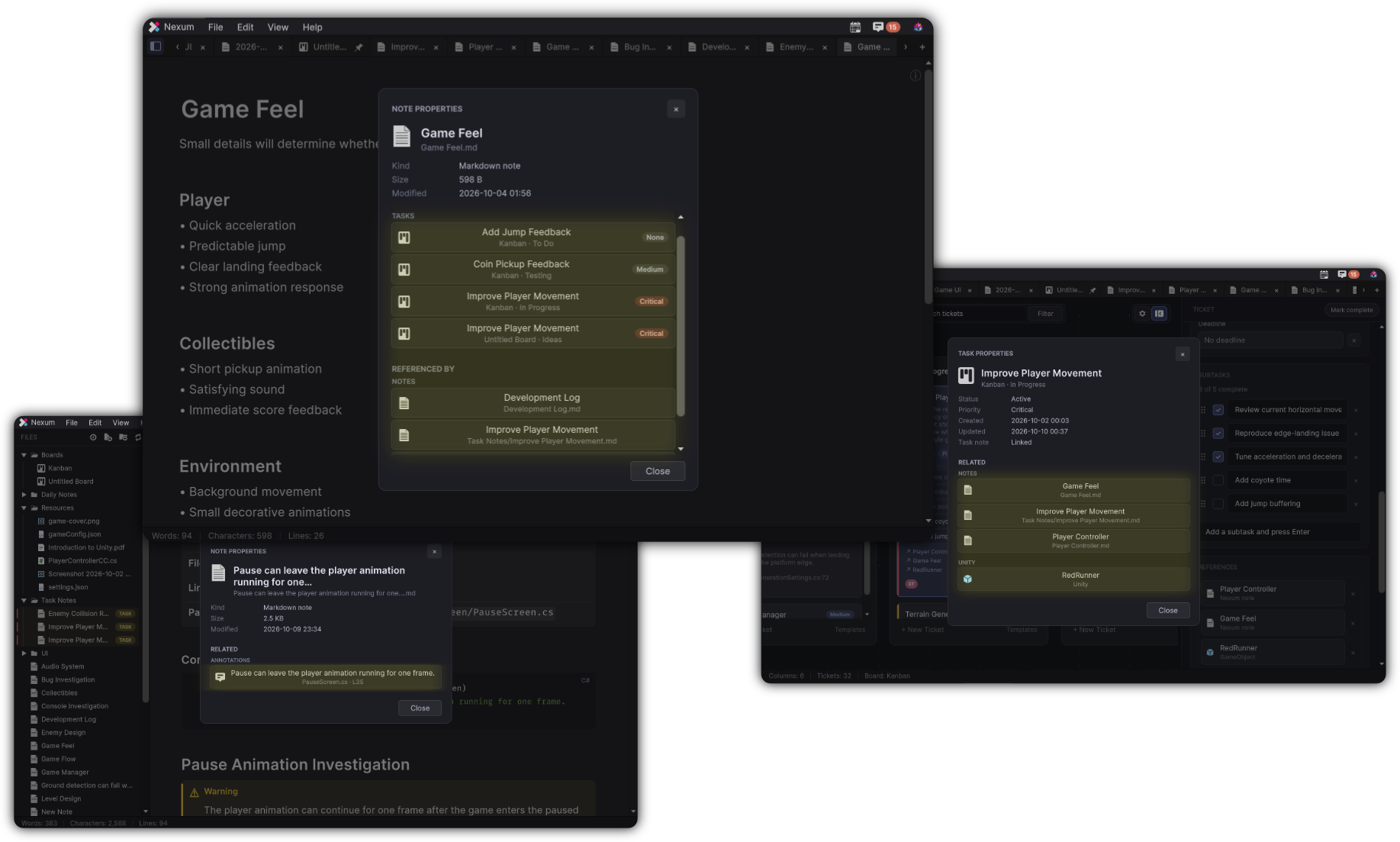
Note Properties
Header context: NOTE PROPERTIES.
Typical fields:
- Kind (Markdown note)
- Size
- Modified
Related
- RELATED - outbound links and attached context
- REFERENCED BY - other notes that wiki-link here (when available)
Empty state: Nothing linked yet.
When editing is allowed, you can + Link Note / Task / Unity / Resource.
Jumping a related item opens the target note, board/ticket, or focuses the Unity object as appropriate.
Task Properties
Header context: TASK PROPERTIES.
Typical fields:
- Status
- Priority
- Deadline
- Created / Updated
- Task note
RELATED lists linked notes and references. Task Properties focuses on the ticket’s own links; note inbound “Referenced By” is a note-properties concern.
Navigation habits
- From a note → open Related → jump to a ticket or Prefab
- From a ticket → open Properties → open the Task Note
- From Annotations → open related note/task when linked
This is how yesterday’s investigation stays one click from today’s work.