Lite and Pro
Console
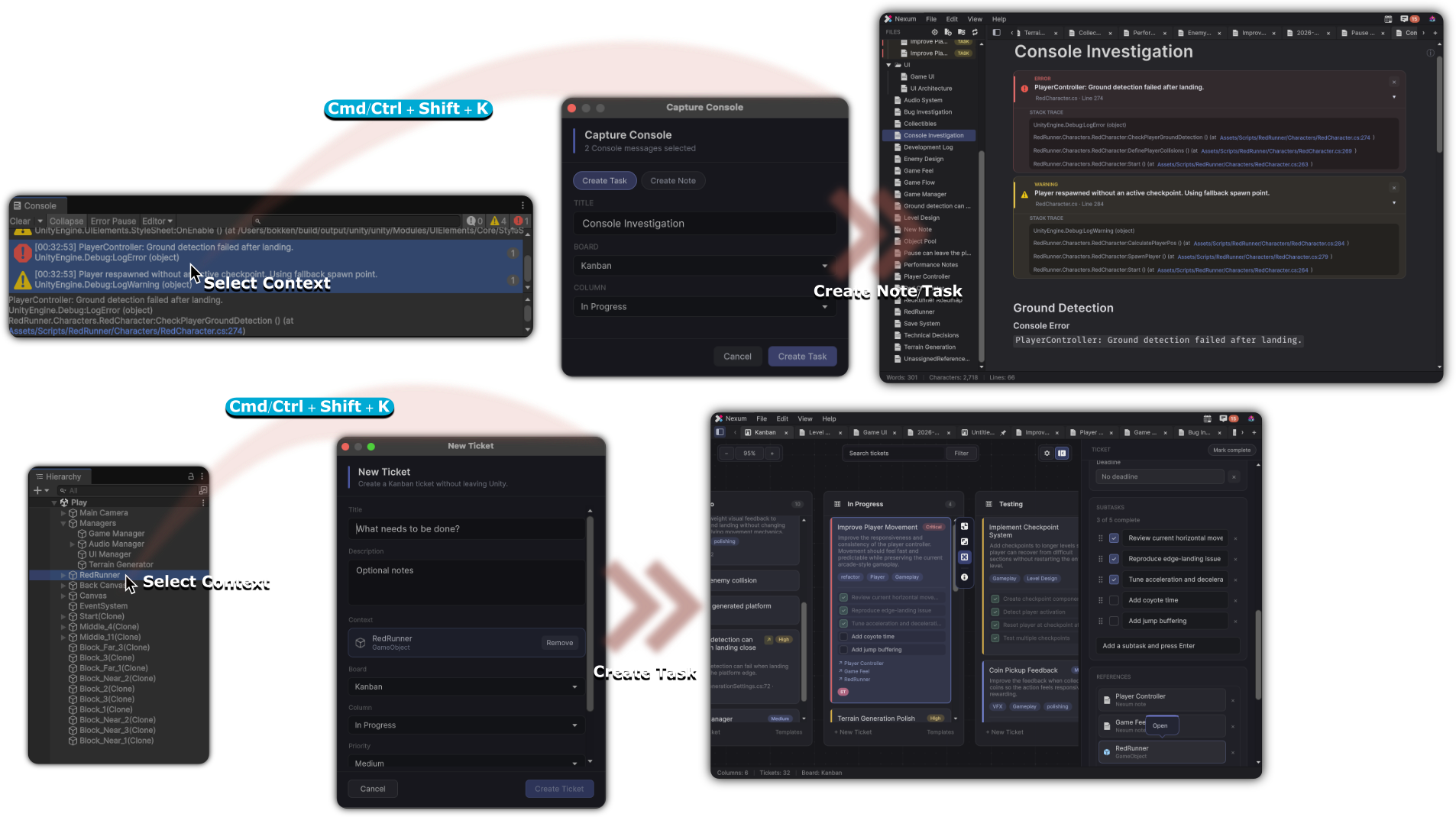
Console capture takes rows from the Unity Console and keeps them with your notes, or turns them into a task. A console block can also sit inside a note.
Nexum Lite
Included
There is no separate cap on captured rows. The note, task, or embed it creates still follows that limit.
Nexum Pro
Included
Capture is included. Notes, tasks, and embeds created from it are not refused for a count.
Where a capture is counted
A note created from the console shares the Notes limit. A task created from the console shares the Tasks on a board limit. A console embed inside a note shares the Embeds in a note limit: the first three embeds in that note display, and a later one stays in the text as a locked card.
What stays the same
The capture window, the shortcut while the Unity Console is focused, and the way a working console block reads inside a note are the same in both editions.
How to capture a row or a Hierarchy object: Unity Console.
Related
-
A note created from the Console uses a note slot on Lite.
-
A task created from the Console uses a task slot on Lite.
-
A console block in a note is one of the three embeds.