Lite and Pro
Annotations
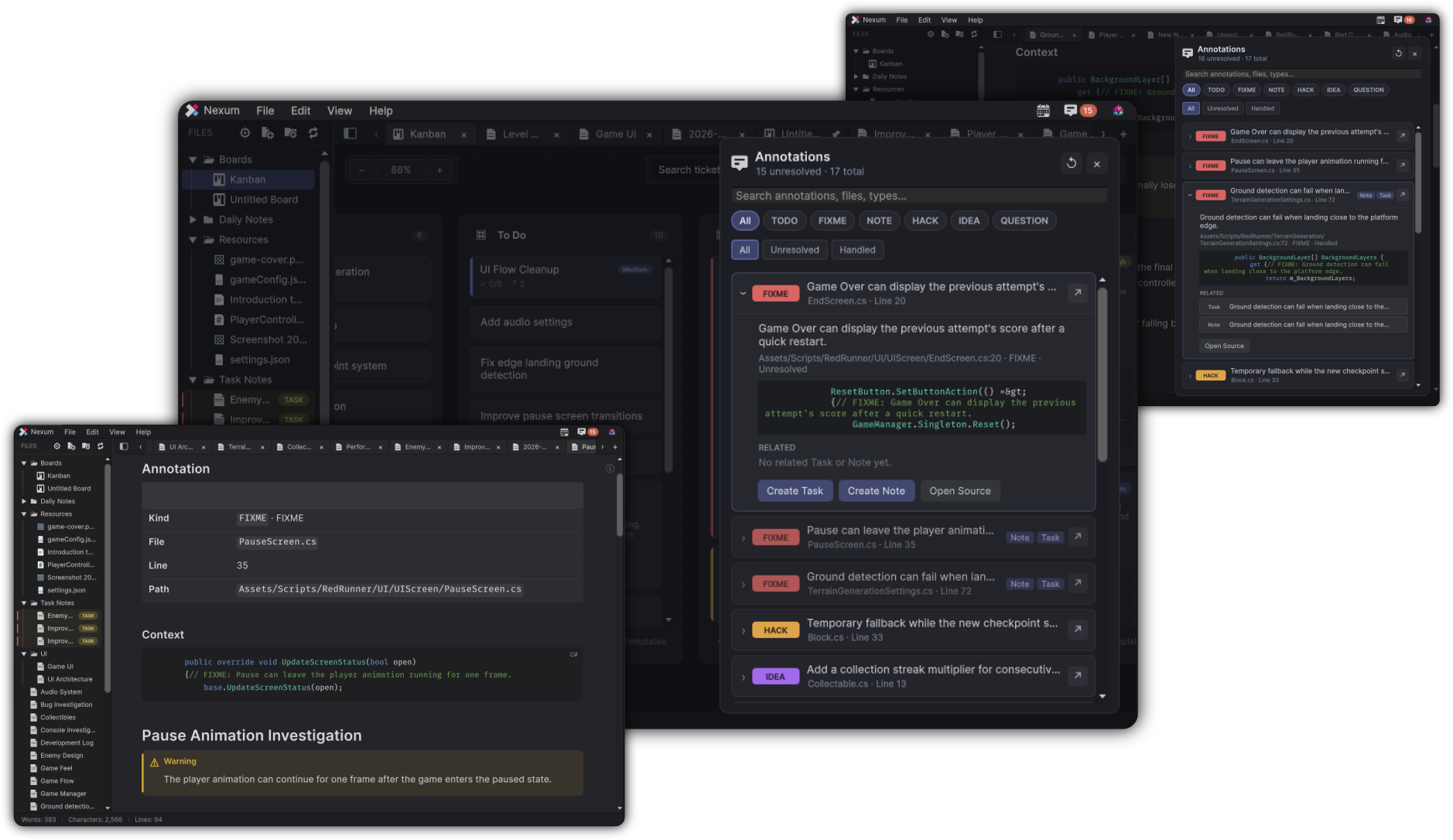
Annotations are the markers Nexum can attach to source, including the TODO and FIXME entries gathered from the project. An annotation can open a related note or create a task.
Nexum Lite
No cap
The project list is not capped. Creating a note or a task still follows those limits.
Nexum Pro
No cap
The list is included. Creating a note or a task from an annotation is not refused for a count.
Creating from an annotation
Creating a note uses the Notes limit. Creating a task uses the Tasks on a board limit. When that limit is already reached, the edition window appears and the annotation itself stays in the list.
What stays the same
Scanning, the annotation list, and opening an annotation that is already linked work the same in both editions. The annotation text in source files is left as it is when a related note or task is locked.
How the inbox works: Annotations.
Related
-
A note created from an annotation uses a note slot on Lite.
-
A task created from an annotation uses a task slot on Lite.
-
Capture can also create a note or a task from Editor context.